Native Windows · Systems programming · Ongoing development
Input Overlay Desktop.
Visualising live keyboard and mouse input directly on the Windows desktop, without OBS. A native adaptation of the open-source input-overlay project.
Inside the project
Images and demonstrations.
Three ways to display my input
The same native overlay, arranged for different screen layouts.
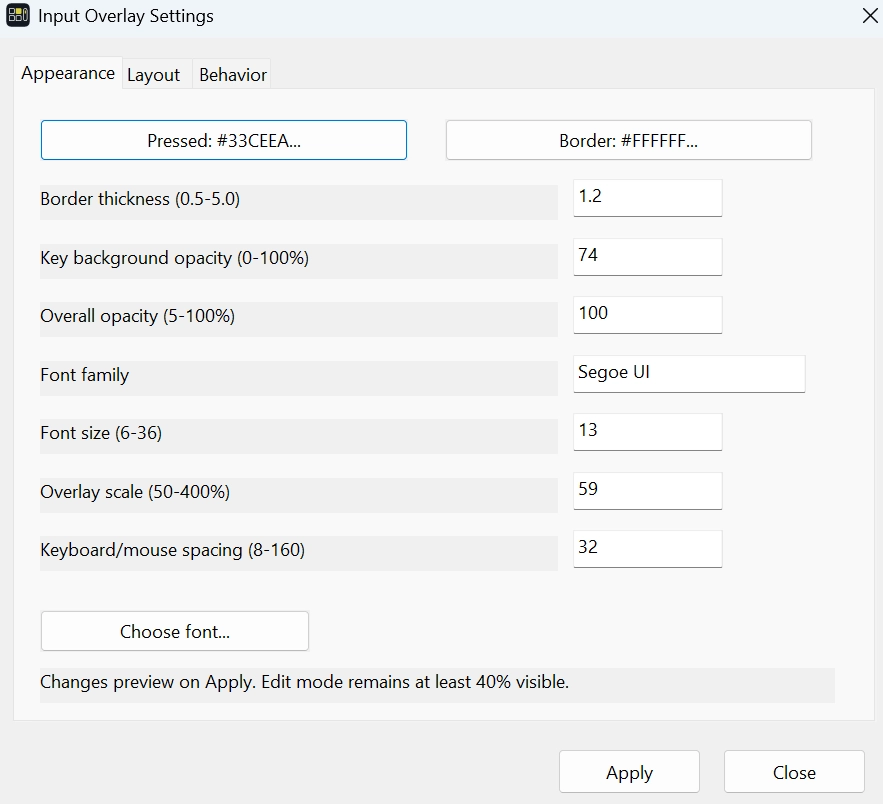
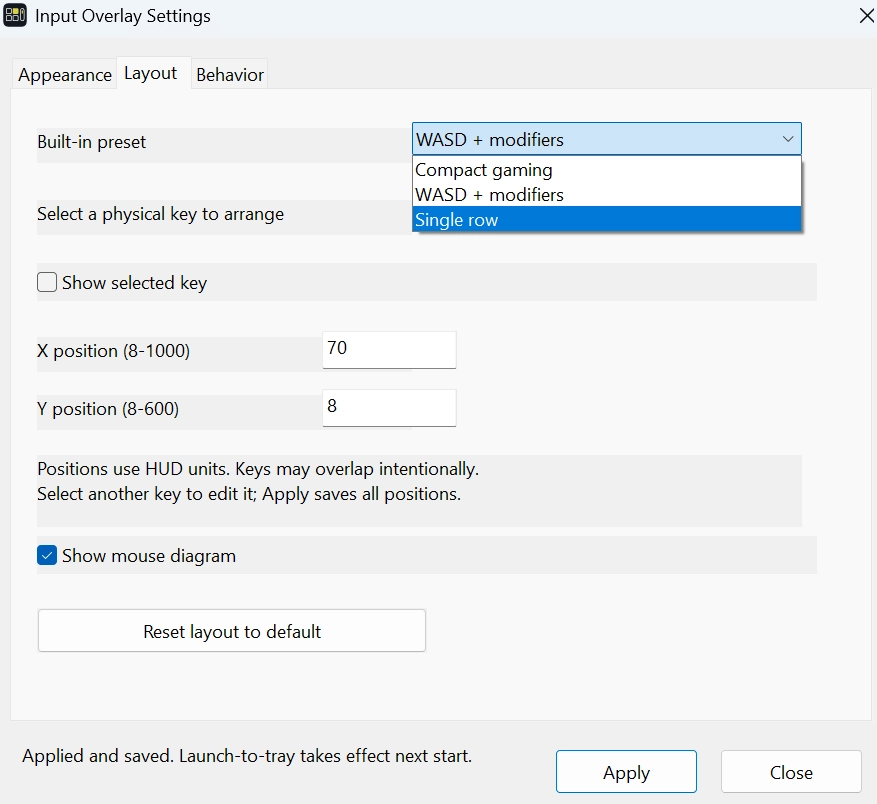
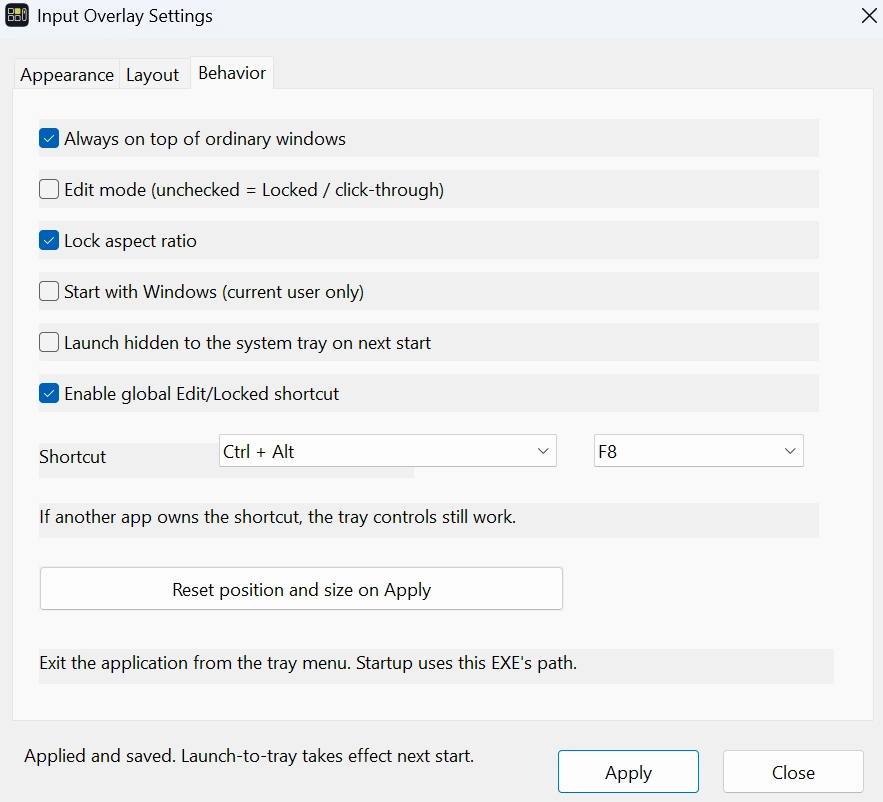
Make the overlay your own
Appearance, layout and behaviour settings, with changes saved through Apply.
A small menu, always within reach
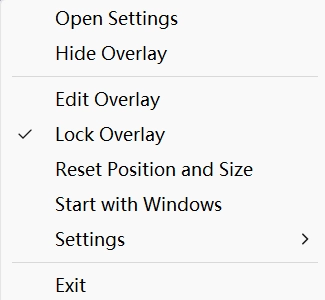
I keep editing, locking, settings and exit controls in the system tray.
How it works
Open the tray controls
Launch the application and use its notification-area icon. The overlay starts locked, displaying live input while allowing clicks to reach the application underneath.
Position the overlay
Choose Edit Overlay from the tray, or use Ctrl+Alt+F8. Move the keyboard/mouse group and resize it with the selection handles.
Customise and apply
Open Settings to adjust Appearance, Layout and Behavior. Choose Compact gaming, WASD + modifiers or Single row, then Apply to save changes.
Lock and use
Choose Lock Overlay to restore click-through display. Closing Settings leaves the overlay running; choose Exit from the tray to quit.
The idea
Focus this preview to try it
Click or Tab into the preview. Try W A S D or arrow keys.
My contribution
Adapted the input overlay into a C++20 Windows application with Raw Input capture, Direct2D/DirectWrite rendering, click-through and editable modes, system-tray controls and native settings for appearance, layout and behaviour.
Current status
Independent project under development, with a Windows x64 preview release available. The recordings show the native application in three layouts. Remaining work includes gamepad support, mixed-DPI monitor testing and broader performance validation.
Technology and methods
C++20 / Win32 Raw Input / Direct2D / DirectWrite / CMake / CTest
Technical approach
Raw Input events update bounded held-key, button and wheel state independently of rendering. A timer redraws changed input state using Direct2D and DirectWrite; settings and geometry are persisted in a validated INI file. The repository CI configures MSVC and LLVM-MinGW builds, runs noninteractive CTest checks and validates packaging. Portable ZIP upload is restricted to an explicitly requested, gated main-branch workflow run. The adaptation is GPL-2.0-only. The focus-only browser illustration below is recreated and does not capture desktop input.